Know what you paid, not just what they earned
A statement has always said what an agent earned. From September, SplitRun also knows what you actually paid them, and carries any difference into the next month on its own. Balances reach the statement and the agent portal, and every upload checks that a file lands in the month it belongs to.
Record what you paid, and the difference carries itself
What an agent earns and what you send them are not always the same number. A payment goes out short, a month is held back, money goes out before it is earned. Keeping track usually means a spreadsheet on the side and an adjustment on next month's statement to square it.
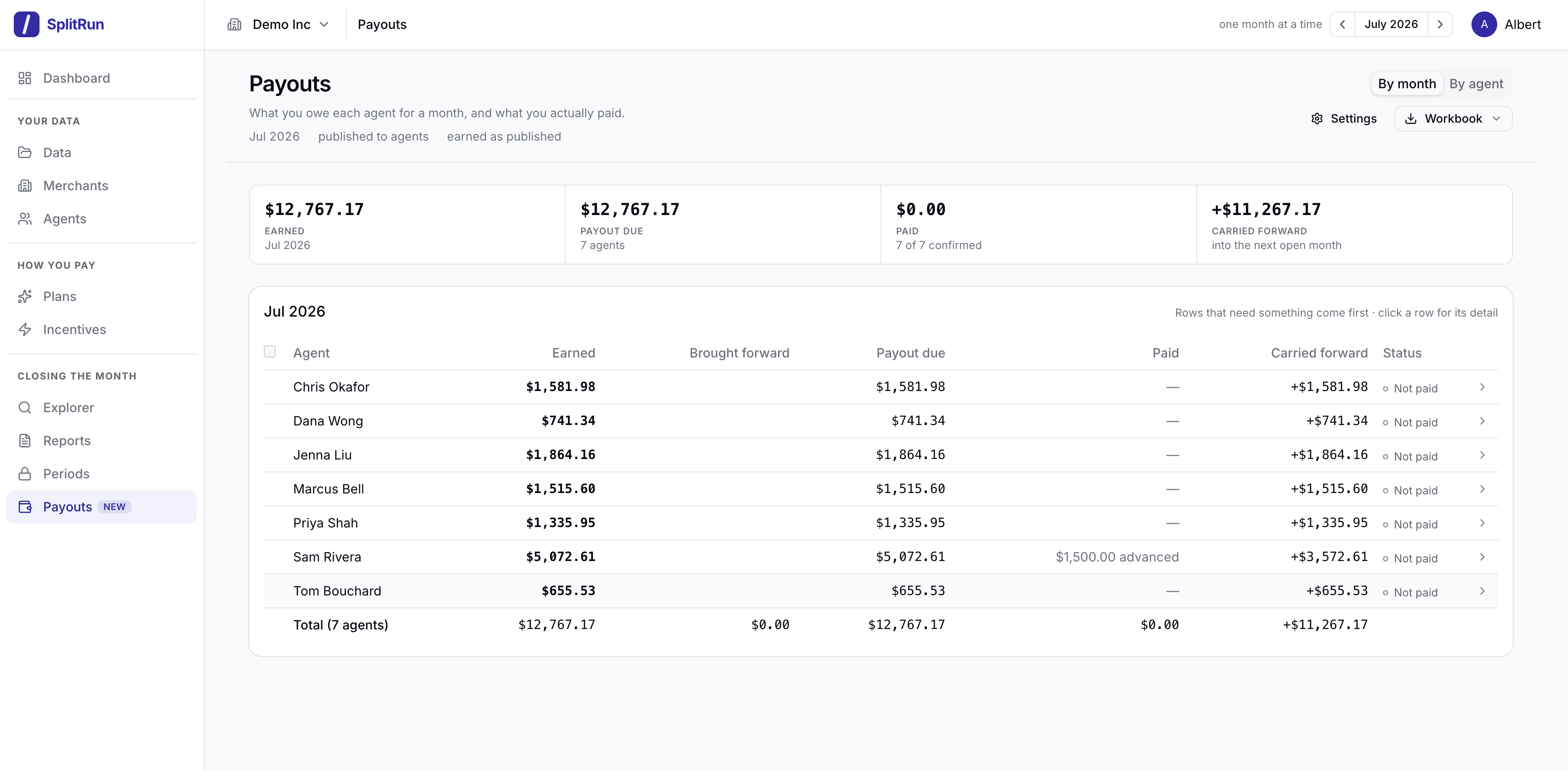
The new Payouts page records what actually went out. Confirm a whole month in one click, enter a different amount for anyone you paid differently, or mark a payout as not paid so it carries forward. Whatever is left over moves into the next month by itself: positive when you still owe the agent, negative when they owe you. Open any agent to see every month, every payment and how their balance got where it is.
Choose the month to start from in Settings, under Payouts. Earlier months stay exactly as they are.
Statements show the balance
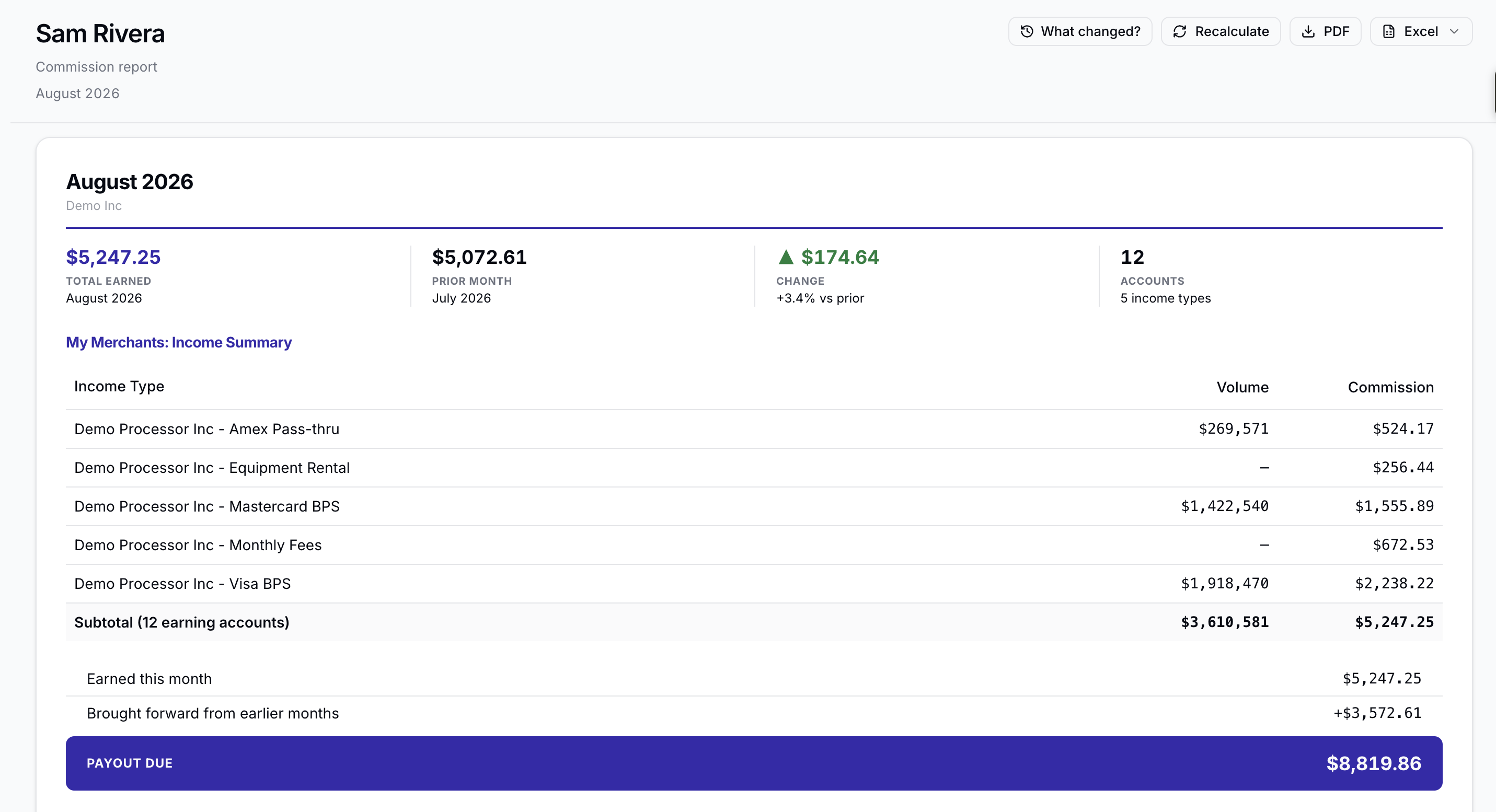
When a balance carries from one month to the next, the agent needs to see it on their statement, or the payout will not be the number they expect.
Whenever a balance carries, the statement ends in three lines: what they earned this month, what was brought forward from earlier months, and the payout due. When nothing carries, it ends in its usual total. An agent who earned nothing in a month but still holds a balance gets a short statement with the same three lines, so every balance stays in view.
Agents see their own payments
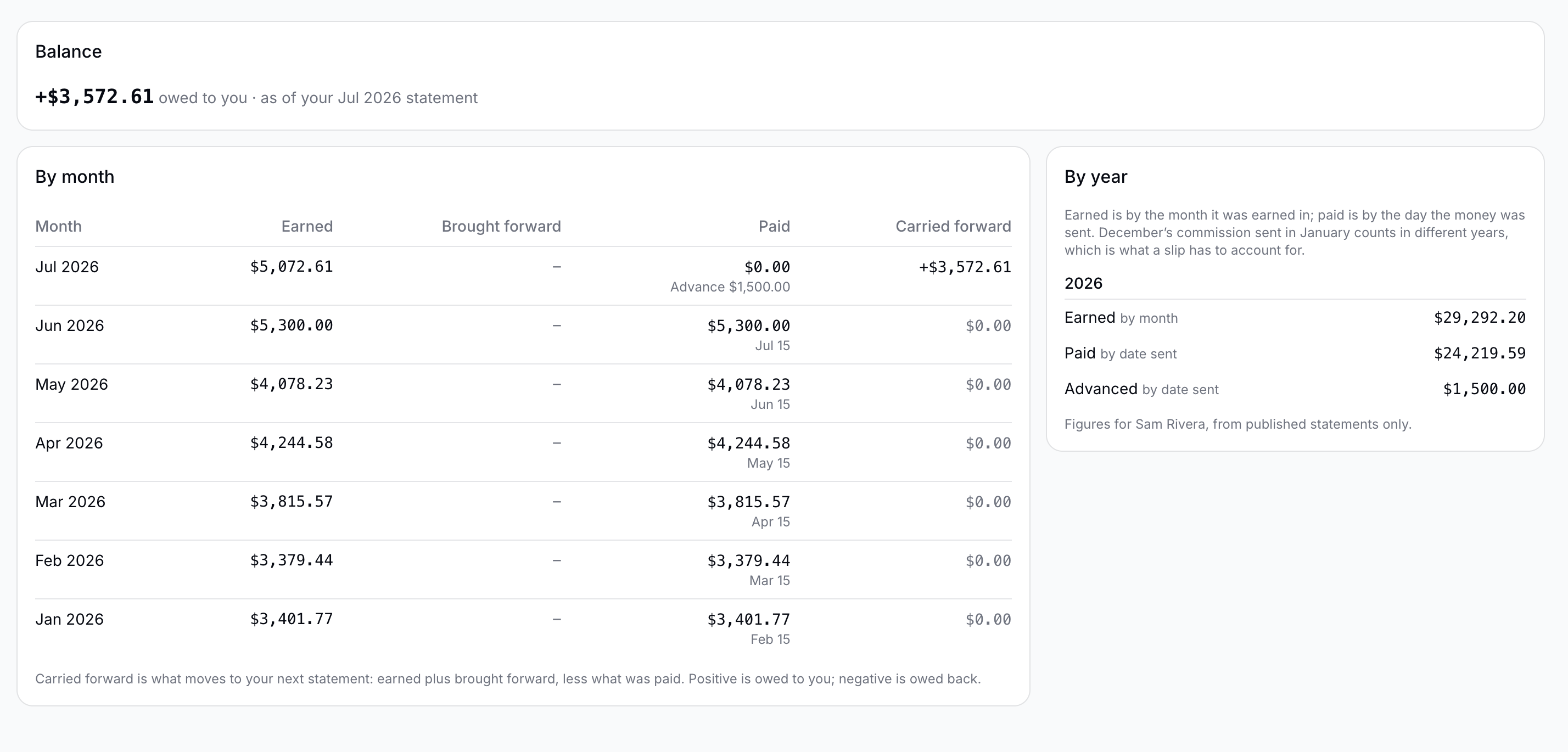
When a payout differs from the statement, the agent wants to know why, and that question usually comes to you.
My Payments in the agent portal answers it month by month: what they earned, what was brought forward, what was paid and when, and what carries into the next month. Their totals by year sit beside it, earned by month and paid by the date the money went out, the two figures a tax slip needs. Agents see only their own figures, and only what you have recorded.
Also in this release
- NewAdvances, repayments and write-offs. Record money sent ahead of earnings, money an agent sends back, or a balance you choose to forgive. Each settles the right month, and anything written off shows as its own line in your house figures.
- NewSmall amounts, handled your way. Write off small balances automatically, or hold payouts under a minimum until they add up to a transfer worth making.
- ImprovedCorrect a past month without adjustments. Upload a corrected report into the month it belongs to. What was already paid stays as it was, and the difference arrives on the agent's next statement as brought forward.
- ImprovedYour workbook and dashboard follow the money. The Summary workbook adds each agent's earlier balance and payout due, and What needs you lists any month still waiting for a payment to be recorded.
- ImprovedEvery upload lands in the right month. When a workbook holds a tab for each month, SplitRun opens the tab for the month you are uploading. It also checks with you before filing a report whose figures match a month you already have.
Want to see these in your account?
Open SplitRun